
An AI receptionist for mobile notaries and commissioners
You cannot take a call in the middle of administering an oath. The Talki Talki AI receptionist answers, asks what is being signed and where, and books a time you can reach.
- Answers every call, day or night, even while you are mid-job
- Asks for the address first and offers only times you can reach
- Asks your booking-form questions and respects your blocklist
- Books onto your Booki Booki board and sends the usual confirmation
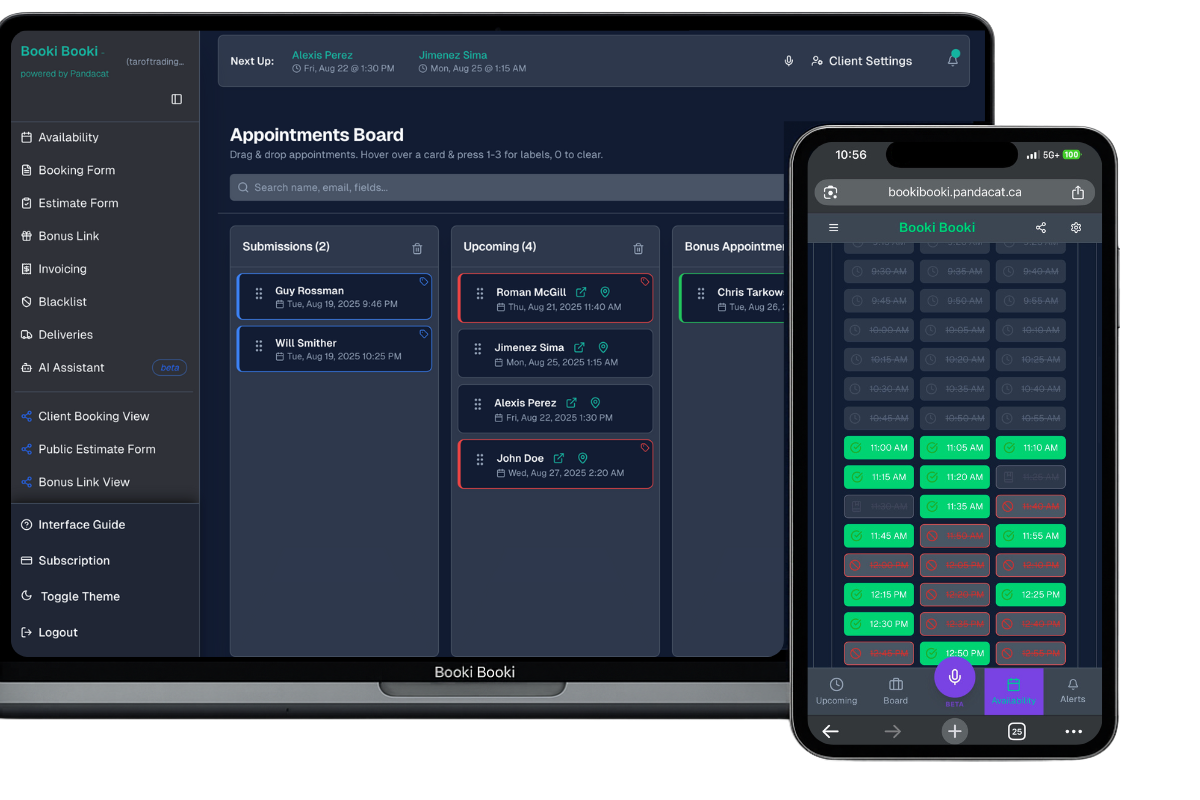
Why mobile notaries and commissioners miss calls, and what the receptionist does about it
People who need a notary usually need one soon: a parent travelling with a child next week, a family at a hospital bedside, a closing date. If you are in the middle of a signing, the call goes to voicemail and they try the next listing. The Talki Talki AI receptionist answers every call, asks the questions on your booking form, such as the type of document, the number of signers and whether everyone will have photo ID, then asks the address and offers only times you can reach.
It follows your Booki Booki settings: required fields, working hours, blocklist and Location-Based Booking. It reads the booking back and asks for a clear yes, and the signing lands on your board with the address and directions. It does not give legal advice or tell a caller what a document requires; it books the appointment and you handle the rest. The caller gets the same confirmation and manage link as a web booking.
What callers say
“I need a travel consent letter signed for my daughter’s trip, can you come to Barrhaven this week?”
“My father is at the Queensway Carleton Hospital and needs a statutory declaration signed today.”
“Can you commission an affidavit at my office on Bank Street over lunch?”
The receptionist confirms the details, offers times, reads the booking back and asks for a clear yes before anything is booked.
A call, start to finish
Caller
Hi, I need an affidavit commissioned. Can you come to me?
Receptionist
Yes. How many people are signing, and will each of them have government-issued photo ID?
Caller
Just me, and I have my driver’s licence.
Receptionist
Thanks. What is the address for the signing, with the street, city and province?
Caller
300 March Road, Ottawa, Ontario. It’s my office in Kanata, second floor.
Receptionist
I can offer tomorrow at 11:30 am or 3:15 pm. Which works?
Caller
3:15.
Receptionist
Booked: affidavit, one signer with photo ID, tomorrow at 3:15 pm at 300 March Road, Ottawa. You will get a confirmation shortly.
How it works
Connect Talki Talki
In Booki Booki go to Integrations, connect Talki Talki, then click “Enable AI Receptionist booking”. Your form, hours and settings are shared with the receptionist.
Turn on Location-Based Booking
Enable Dynamic Availability, enter your Base Address and Commute Mode, and set your Business Timezone. Switch the Location Booking Link on if every caller should be asked for an address.
Let the phone ring
The receptionist asks what the caller needs and where they are, offers times, reads the booking back, waits for a clear yes, and books it.
What you need
- A Booki Booki account (any plan) with your booking form and working hours set
- A Talki Talki plan that includes the AI receptionist, connected under Integrations
- Location-Based Booking (Pro) with Base Address, Commute Mode and Business Timezone set
- Location Booking Link switched on if every caller should be asked for an address
Full setup checklist with examples: AI receptionist for location-based phone bookings. Your blocklist applies to calls too.
Frequently asked questions
Will it tell callers which documents need a notary?
Can it book a hospital or care home visit?
Will it quote my fee?
What do I need for the AI receptionist?
Does the receptionist follow my booking form?
What does the caller receive after booking?
Not ready for phone bookings? Start with the booking software for mobile notaries and commissioners and add the receptionist later.
Every call to your mobile notary business ends in a booking you can keep
Booki Booki plus the Talki Talki AI receptionist. Booki Booki is free for 30 days.
AI receptionist for other industries
- Mobile mechanics
- Mobile car detailers
- Pressure washing companies
- Window cleaners
- Lawn care and landscaping companies
- Pool and hot tub service technicians
- Junk removal companies
- Handyman services
- House cleaning companies
- Carpet and upholstery cleaners
- Plumbers
- Electricians
- HVAC companies
- Appliance repair technicians
- Locksmiths
- Phone and computer repair shops
- Mobile pet groomers
- Mobile massage therapists
- Physiotherapy clinics
- Personal trainers
- Mobile hairdressers and barbers
- Lash and brow technicians
- Photographers