
An AI receptionist for phone and computer repair shops
You are holding a logic board with tweezers when the phone rings. The Talki Talki AI receptionist answers, asks what device it is and what broke, and books a drop-off time.
- Answers every call, day or night, even while you are mid-job
- Offers only your real open times and appointment length
- Asks your booking-form questions and respects your blocklist
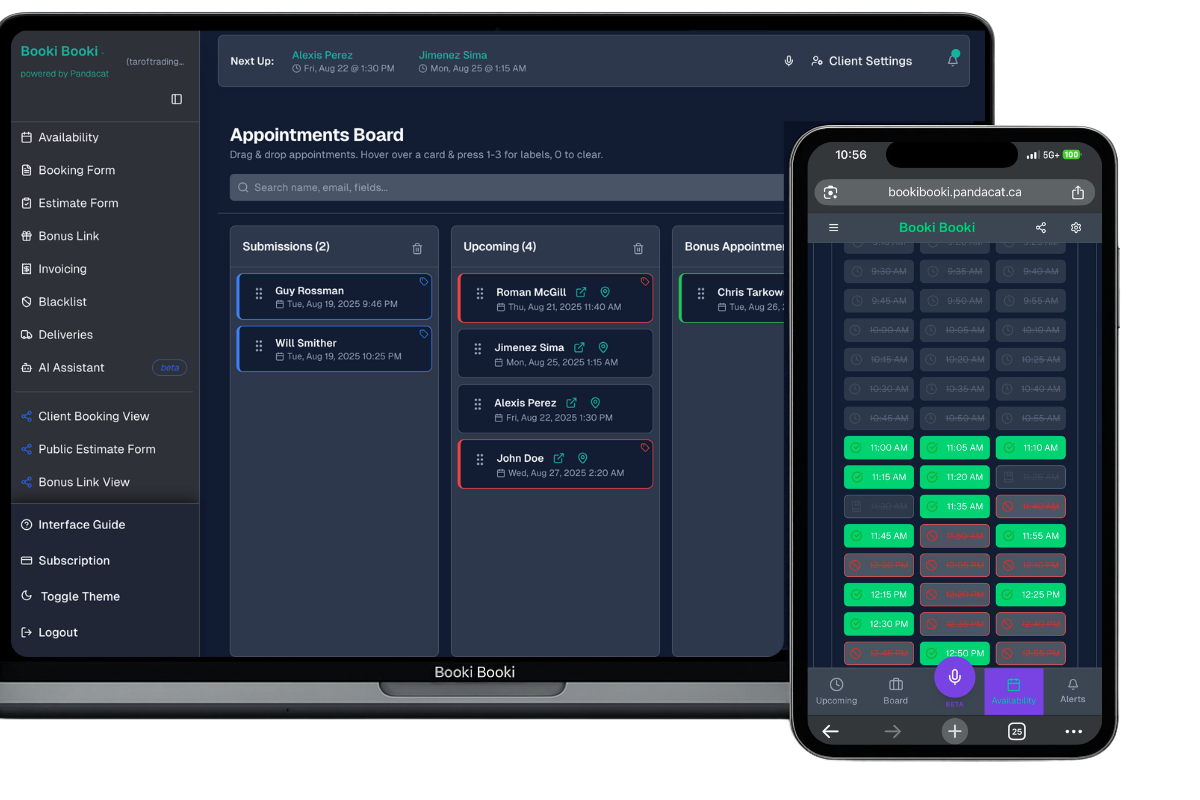
- Books onto your Booki Booki board and sends the usual confirmation
Why phone and computer repair shops miss calls, and what the receptionist does about it
Repair shop phones ring with the same questions all day: do you fix this model, how long does it take, can I come in today. Each call pulls you off the bench, and a missed one means the client walks into the shop down the street. The Talki Talki AI receptionist answers every call, asks for the device make and model, the problem and how urgent it is, and books a drop-off in your open times.
Because clients come to you, callers are not asked for an address. They are offered the shop’s open times from your Availability page, spoken in your Business Timezone. The receptionist asks the questions on your booking form, including the IMEI or serial number and the data-loss checkbox if you made them required, reads the booking back and waits for a clear yes. The card lands on your board, and the caller gets the same confirmation and manage link as an online booking.
What callers say
“I dropped my iPhone 13 and the screen is shattered, can I bring it in today?”
“I spilled coffee on my laptop, do you do water damage?”
“How much is a battery replacement for a Galaxy S21?”
The receptionist confirms the details, offers times, reads the booking back and asks for a clear yes before anything is booked.
A call, start to finish
Caller
Hi, my iPad won’t charge anymore. I think it’s the port.
Receptionist
I can book a drop-off. Which iPad model is it?
Caller
It’s a ninth-generation iPad.
Receptionist
Thanks. Do you have a backup of your data, and do you understand that a repair can risk data loss?
Caller
Yes, it’s backed up to iCloud.
Receptionist
I can offer a drop-off today at 3:30 pm or tomorrow at 10:15 am. Which works?
Caller
Tomorrow at 10:15.
Receptionist
Booked: charging port repair for a ninth-generation iPad, drop-off tomorrow at 10:15 am, backup confirmed. You will get a confirmation email shortly.
How it works
Connect Talki Talki
In Booki Booki go to Integrations, connect Talki Talki, then click “Enable AI Receptionist booking”. Your form, hours and settings are shared with the receptionist.
Check your hours and form
Make sure working hours, the appointment length and the required questions on your booking form are current. Click “Re-sync tools” after any change.
Let the phone ring
The receptionist asks what the caller needs, offers times, reads the booking back, waits for a clear yes, and books it.
What you need
- A Booki Booki account (any plan) with your booking form and working hours set
- A Talki Talki plan that includes the AI receptionist, connected under Integrations
- Your appointment length set under Availability, so the receptionist offers a short, clear list of times
Full setup checklist with examples: AI receptionist for location-based phone bookings. Your blocklist applies to calls too.
Frequently asked questions
Does the receptionist ask callers for their address?
Can it tell callers how much a screen costs?
Will it ask for the IMEI on the call?
What do I need for the AI receptionist?
Does the receptionist follow my booking form?
What does the caller receive after booking?
Not ready for phone bookings? Start with the booking software for phone and computer repair shops and add the receptionist later.
Every call to your phone and computer repair shop ends in a booking you can keep
Booki Booki plus the Talki Talki AI receptionist. Booki Booki is free for 30 days.
AI receptionist for other industries
- Mobile mechanics
- Mobile car detailers
- Pressure washing companies
- Window cleaners
- Lawn care and landscaping companies
- Pool and hot tub service technicians
- Junk removal companies
- Handyman services
- House cleaning companies
- Carpet and upholstery cleaners
- Plumbers
- Electricians
- HVAC companies
- Appliance repair technicians
- Locksmiths
- Mobile pet groomers
- Mobile massage therapists
- Physiotherapy clinics
- Personal trainers
- Mobile hairdressers and barbers
- Lash and brow technicians
- Mobile notaries and commissioners
- Photographers